

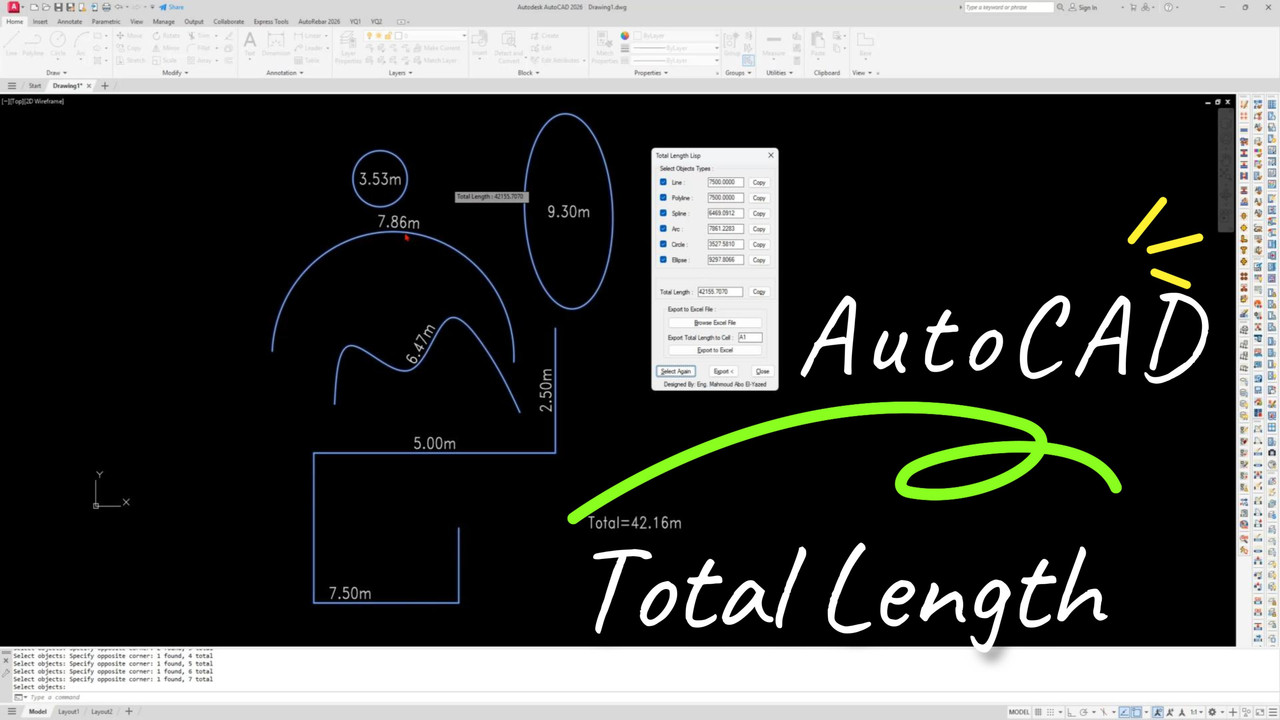
If you are working in AutoCAD, calculating the total length of multiple objects manually can take a lot of time. This is especially true for engineers, drafters, and designers who deal with complex drawings every day.
In this guide, you will learn how to use an AutoCAD LISP routine to quickly calculate total length with just one command. This method will save time and improve your workflow efficiency.
What is AutoCAD LISP?
AutoCAD LISP is a powerful scripting language that allows users to automate tasks inside AutoCAD. With LISP, you can create custom commands to simplify repetitive work such as measuring lengths, counting objects, and exporting data.
Benefits of Using This LISP
- Save time on manual calculations
- Works with lines, polylines, and arcs
- Easy to use with one command
- Improves productivity for large projects
How to Use the LISP Command
Step 1: Load the LISP File
Open AutoCAD
Type APPLOAD
Select the LISP file
Step 2: Run the Command
Type: TLEN (or your command name)
Select objects
Press Enter
👉 The total length will be displayed instantly.
📥 Free Download AutoCAD LISP
You can download the LISP file here:
💡 Pro Tips
Use layers to filter objects before calculating
Combine with Excel export for quantity takeoff
Customize the LISP to show units automatically
📊 Who Should Use This?
Civil Engineers
Architects
CAD Technicians
Quantity Surveyor
🔚 Conclusion
Using AutoCAD LISP to calculate total length is one of the easiest ways to speed up your workflow. Instead of measuring objects one by one, you can get instant results with a single command.
If you work with complex drawings, this tool is a must-have in your AutoCAD toolkit.


0 Comments